
Lodi777 Download | Official APK & Platform Guide

Here’s how to get Lodi777 on your preferred device. We support Android phones, tablets, and PC through emulators.

Download Methods

Android (APK Download)
This is the recommended way to play Lodi777 on your phone or tablet.
Android (APK Download)

This is the recommended way to play Lodi777 on your phone or tablet.
Steps:
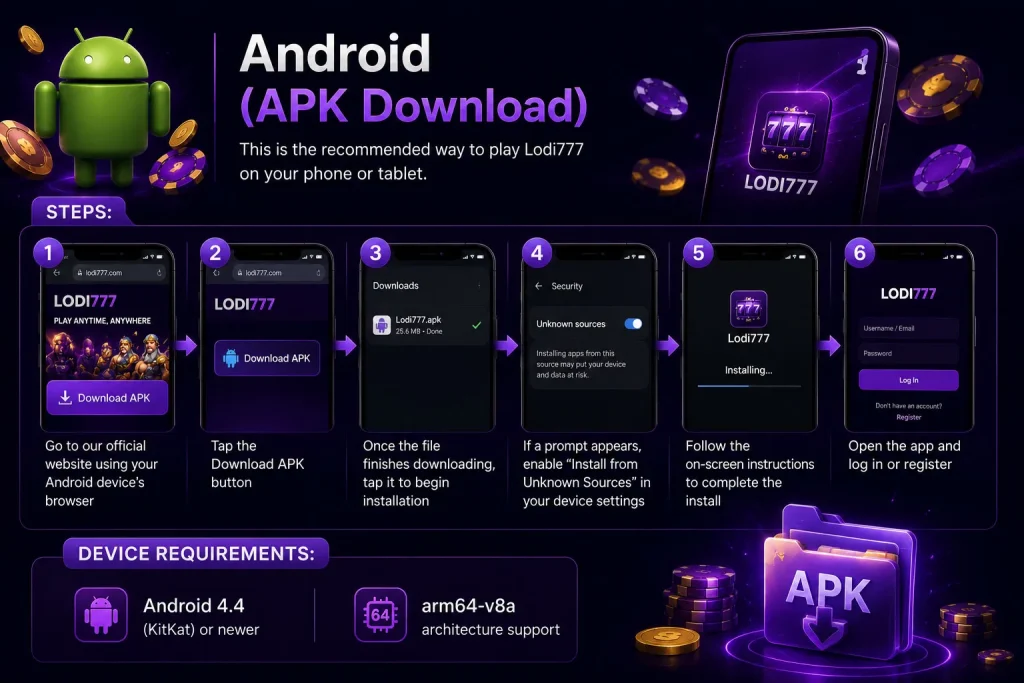
1.Go to our official website using your Android device’s browser
2.Tap the Download APK button
3.Once the file finishes downloading, tap it to begin installation
4.If a prompt appears, enable “Install from Unknown Sources” in your device settings
5.Follow the on-screen instructions to complete the install
6.Open the app and log in or register

Device Requirements:
·Android 4.4 (KitKat) or newer
·arm64-v8a architecture support

Image001

iPhone & iPad (iOS)

We don’t have a native iOS app at this time. But you can still play directly from your browser:

1.Open Safari or Chrome on your iPhone or iPad
2.Visit our official website
3.Log in and play—the site is optimized for mobile browsing
4.For one-tap access, tap the Share button and select “Add to Home Screen” to create a shortcut

PC (Windows / Mac)

Play Lodi777 on a bigger screen using an Android emulator. Here’s how:

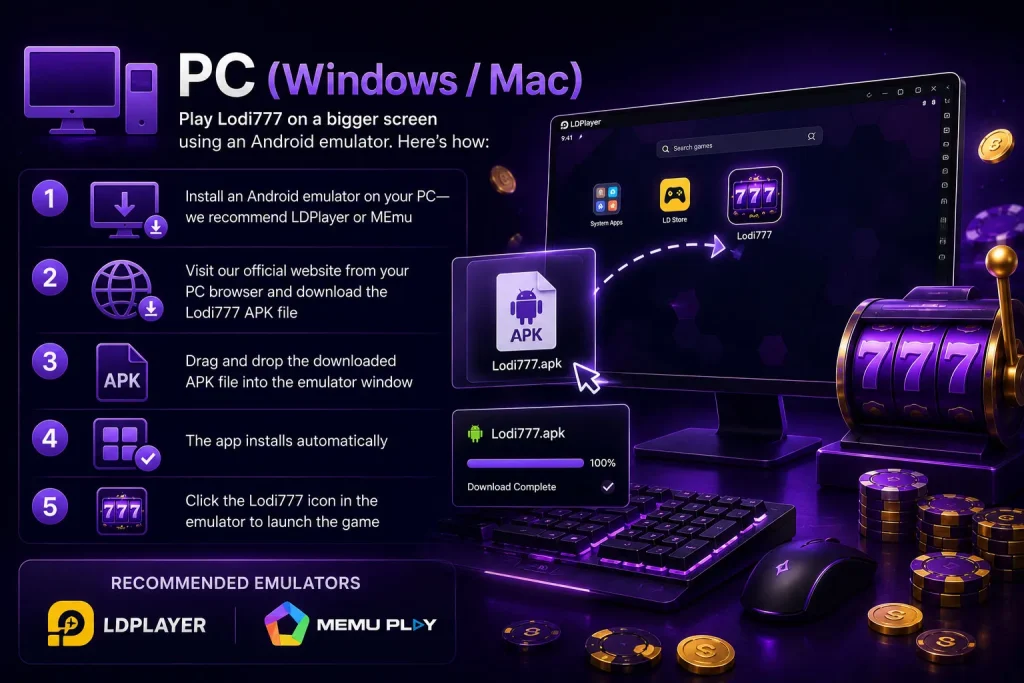
1.Install an Android emulator on your PC—we recommend LDPlayer or MEmu

2.Visit our official website from your PC browser and download the Lodi777 APK file

3.Drag and drop the downloaded APK file into the emulator window

4.The app installs automatically

5.Click the Lodi777 icon in the emulator to launch the game

pc Image001 1

Android Tablets

Install the APK the same way you would on a phone. The app supports both portrait and landscape modes, so it looks great on larger screens.

Supported Platforms Summary

DeviceHow to AccessBest For
Android PhoneDirect APK download and installFastest, full app experience
Android TabletDirect APK download and installLarger screen, portrait/landscape support
iPhone / iPadMobile browser (Safari/Chrome)iOS users, no installation needed
PC (Windows/Mac)Android emulator (LDPlayer or MEmu)Big screen, keyboard/mouse controls

FAQ

Scroll to Top